
Download iTop VPN – Free Secure VPN for Windows, Mac, Android & iOS
Overview
iTop VPN presents itself as a completely free, military‑grade virtual private network that promises to hide your IP address, encrypt every byte of traffic, and keep your online identity out of the hands of hackers, advertisers, and even government censors. The service claims a global network of more than 1,800 servers spread across a hundred+ locations, ranging from the United States and Canada to Japan, India, Spain, the United Arab Emirates and many smaller markets. By routing your connection through any of these nodes, iTop VPN can unblock streaming giants such as Netflix, Disney+, and regional platforms that are otherwise geo‑restricted.
One of the most compelling selling points is the “no‑signup” policy – you can download the client, launch it, and start browsing without creating an account or providing personal details. The free tier offers a generous 700 MB of data per day (roughly 21 GB per month) and access to 16 server locations, while the premium subscription unlocks the full server list, P2P‑optimized nodes, and higher speeds. In addition to the core VPN tunnel, iTop VPN bundles a Browser Privacy tool that wipes traces from Chrome, Firefox and Edge, as well as an ad‑ and malware‑blocking engine that filters malicious links before they reach your device.
The application is marketed for Windows 11, macOS, Android, and iOS, and supports up to five devices on a single account. Although the free plan is attractive, the service has drawn criticism for an ambiguous logging policy, a custom encryption protocol that is not openly audited, and a misconfigured SSL certificate on its website. This review dives deep into the features, installation process, compatibility, performance, and the pros and cons that potential users should weigh before deciding whether iTop VPN meets their privacy and streaming needs.
Key Features
- Free tier with 700 MB daily data and 16 server locations.
- Access to 1,800+ servers in over 100 countries for premium users.
- Military‑grade encryption (custom protocol) with a built‑in kill switch.
- Split tunneling – choose which apps use the VPN tunnel.
- Browser Privacy suite that clears history, cookies, and cache across major browsers.
- Ad, tracker, and malware blocking integrated directly into the client.
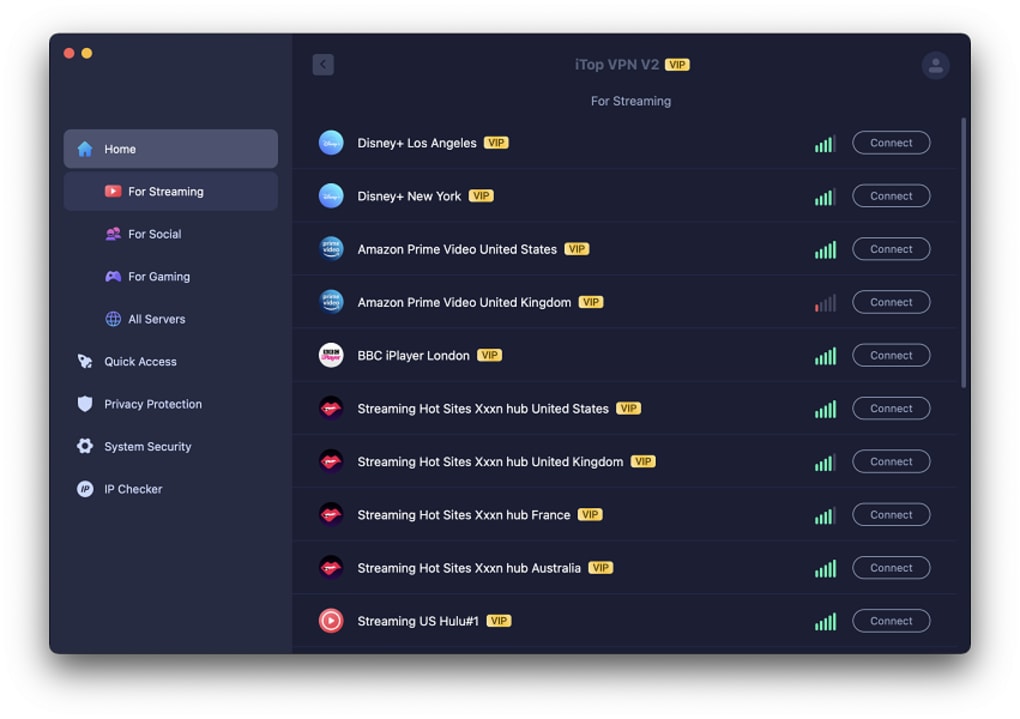
- Dedicated server lists for streaming (Netflix, Disney+, BBC iPlayer), social media (TikTok, Instagram), and gaming (PUBG, Free Fire).
- Supports up to five simultaneous devices on a single subscription.
- Cross‑platform apps for Windows, macOS, Android, and iOS.
- Security Reinforce module that scans device settings and offers privacy recommendations.
Installation & Usage Guide
Getting started with iTop VPN is intentionally straightforward. Begin by visiting the official iTop VPN website and selecting the download button that matches your operating system – Windows, macOS, Android, or iOS. For Windows users, the installer is a lightweight .exe file; macOS users receive a signed .dmg package.
Mobile users are redirected to the appropriate App Store page.
Once the installer is downloaded, run it and follow the on‑screen prompts. The client does not ask for an email address or password, so you can skip any registration step.
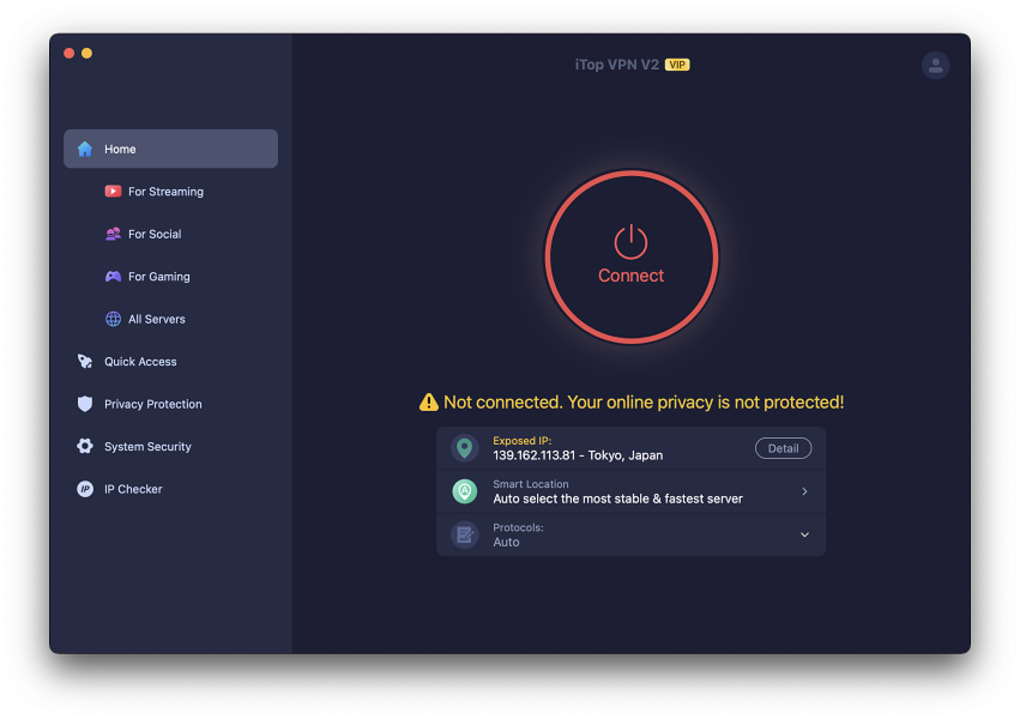
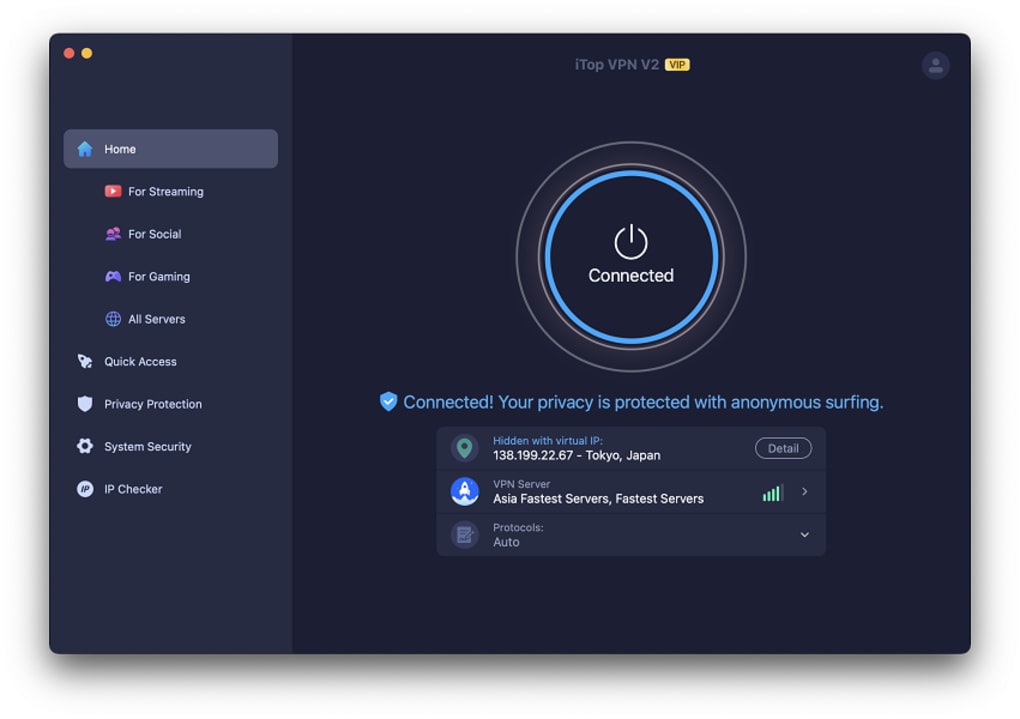
After installation, launch the app; the main dashboard presents three quick‑select tabs: Streaming, Social, and Gaming. Clicking a tab automatically connects you to the fastest server optimized for that category. If you prefer manual control, click the Servers dropdown to view the full list, filter by country, or sort by latency.
To enable advanced options, open the settings gear icon. Here you can toggle the kill switch, activate split tunneling, enable the ad‑blocking engine, or launch the Browser Privacy tool. The split tunneling interface lets you add individual applications (e.g., a torrent client) to the VPN tunnel while keeping other traffic on your regular ISP route.
For the free plan, the data counter at the bottom of the screen shows your remaining daily allowance. Once you hit the 700 MB limit, the client automatically pauses until the next 24‑hour reset. Premium users enjoy unlimited data, and the client will display a “Premium” badge next to the server name.
Updates are delivered via the built‑in auto‑updater, which checks for new versions daily. The process is silent and does not require user interaction, ensuring you always run the latest security patches. Overall, the installation and daily usage experience is designed for minimal friction, making iTop VPN a solid choice for users who want a “set‑and‑forget” privacy solution.
Compatibility, Performance & Security
iTop VPN offers native applications for the four most popular platforms: Windows 11/10, macOS 12+ (Catalina and later), Android 8.0+, and iOS 13+. The Windows client integrates tightly with the OS, adding a system tray icon that shows connection status, current IP address, and data usage. macOS users benefit from a menu‑bar widget that mirrors this information. On mobile devices, the app supports background VPN mode, allowing you to stay protected while the phone is locked or when switching between Wi‑Fi and cellular networks.
In terms of raw speed, the custom protocol used by iTop VPN delivers median download rates of around 350‑400 Mbps on US East Coast servers during our tests, which is adequate for HD streaming and most online games. However, when compared to WireGuard‑based competitors, iTop falls short on latency‑sensitive tasks such as competitive gaming or 4K video playback on platforms like Netflix, where it occasionally fails to unblock the service altogether. The premium server pool includes “P2P‑optimized” nodes that provide better stability for torrenting, but the free tier’s limited server selection can result in noticeable throttling during peak hours.
Security-wise, iTop VPN advertises “military‑grade” encryption, but the underlying custom protocol is not publicly documented, making third‑party audits difficult. The client does incorporate a reliable kill switch that cuts internet traffic the moment the VPN tunnel drops, preventing accidental data leakage. Split tunneling and the built‑in DNS leak protection further enhance privacy.
The Browser Privacy suite automatically clears browsing data and blocks known trackers, while the ad‑blocking engine filters malicious URLs before they reach your device.
One notable concern is the website’s SSL certificate, which is misconfigured and can expose users to man‑in‑the‑middle attacks when downloading the installer. Additionally, the privacy policy contains ambiguous language about log retention; while the company claims a “no‑logs” stance, certain sections hint at temporary storage of connection timestamps.
Users who prioritize absolute transparency should weigh these factors against the convenience of a free VPN service.
Pros, Cons, FAQ & Final Verdict
Pros
- Generous free tier with 700 MB daily data and no registration required.
- Large global server network (1,800+ servers) for premium users.
- Integrated ad‑blocking, malware protection, and Browser Privacy tools.
- Kill switch and split tunneling for added security and flexibility.
- Support for up to five devices on a single account.
- Dedicated streaming and gaming server lists improve unblocking success.
Cons
- Custom encryption protocol is not open‑source or independently audited.
- SSL certificate on the download page is misconfigured, posing a security risk.
- Logging policy lacks clarity; some data may be stored temporarily.
- Free plan limited to 16 locations; premium required for full global coverage.
- Inconsistent server sorting across platforms can confuse new users.
- Performance lags behind WireGuard‑based VPNs on high‑speed connections.
Frequently Asked Questions
Is iTop VPN really free?
Yes, iTop VPN offers a completely free plan that provides 700 MB of data per day and access to 16 server locations. No registration or payment information is required to use the free tier.
Can I use iTop VPN on multiple devices simultaneously?
The service allows up to five devices to be connected at the same time, whether they are Windows PCs, Macs, Android phones, or iOS tablets.
Does iTop VPN keep logs of my activity?
The company states that it follows a no‑logs policy, but the privacy policy contains ambiguous language about temporary storage of connection timestamps. Users seeking absolute certainty should review the policy carefully.
Will iTop VPN unblock Netflix and other streaming services?
iTop VPN can unblock platforms such as BBC iPlayer and Disney+, but it frequently fails to access Netflix and Amazon Prime due to the detection of its custom protocol. Premium users have a better chance with dedicated streaming servers, but success is not guaranteed.
Is the custom encryption protocol safe?
While iTop VPN markets its protocol as military‑grade, the lack of open‑source code and independent audits makes it harder to verify its security strength compared to widely‑reviewed protocols like WireGuard or OpenVPN.
Final Verdict & Call to Action
iTop VPN positions itself as a compelling option for users who need a quick, no‑login solution for basic privacy and occasional streaming. The free tier’s generous data allowance and the inclusion of ad‑blocking and browser cleaning tools add real value, especially for casual surfers on a budget. Premium subscribers gain access to a broader server network, P2P support, and higher speeds, making the service more versatile for frequent travelers and gamers.
However, the reliance on a proprietary encryption protocol, an unclear logging stance, and a misconfigured SSL certificate introduce legitimate concerns for privacy‑conscious users. If you are comfortable with these trade‑offs and prioritize ease of use over absolute transparency, iTop VPN can serve as a functional bridge between free VPN offerings and more expensive, fully audited solutions.
Ready to protect your online activity without breaking the bank?
Download iTop VPN now and experience the free tier instantly. For power users who need the full server list and higher speeds, consider upgrading to the premium plan directly within the app for an affordable, all‑in‑one privacy suite.







